
There are three main types of sets:
1. Constant Sets
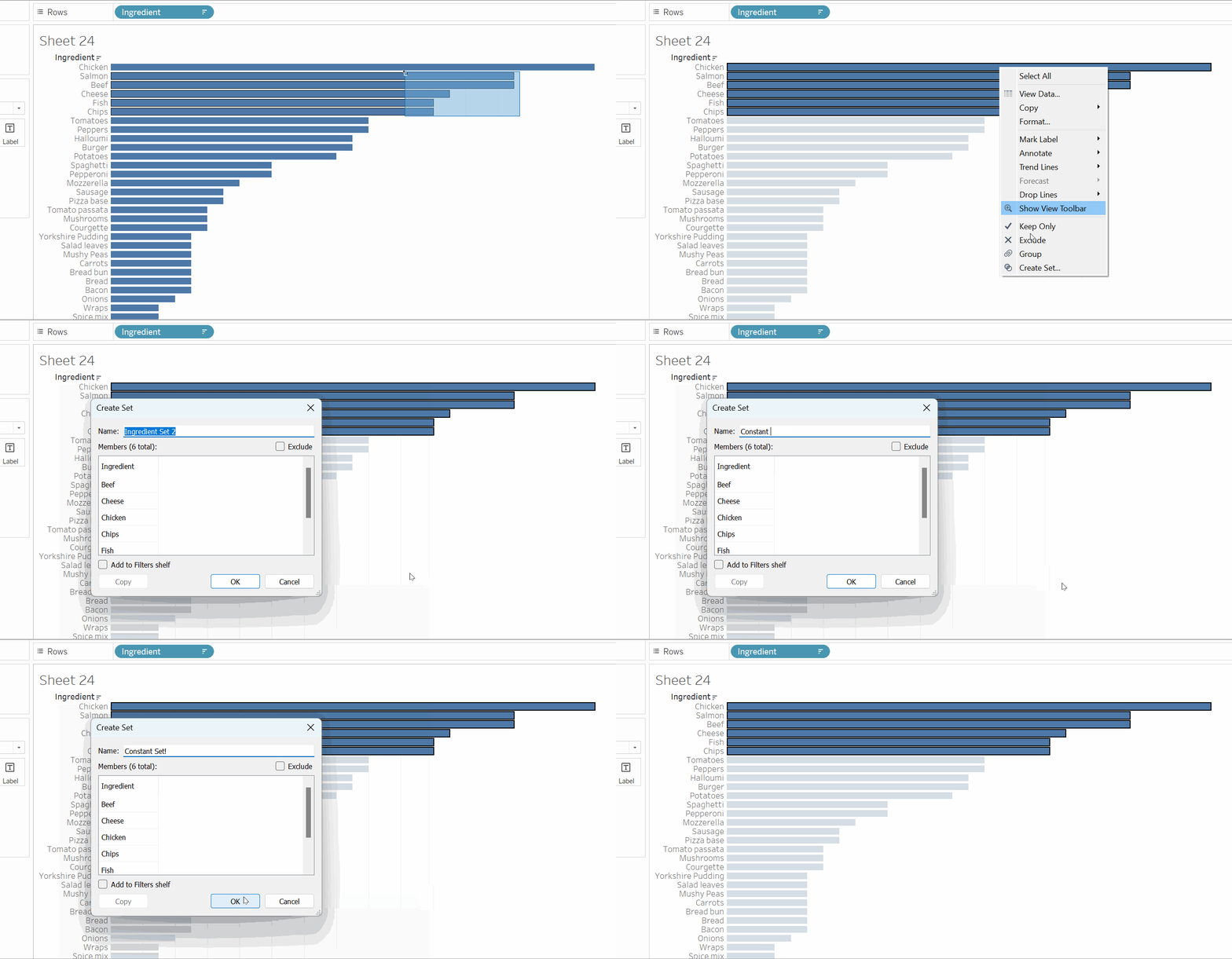
These are sets that contain manually selected fields and do not change.
You create these types of sets through manually selecting what you want to within a field, right clicking, then selecting create set:
2. Computed Sets
These are sets that dynamically update based on specific conditions. There are three types of computed sets; general, condition and top.
To create these sets you click on the drop down menu of the field you want to create a set from, select create a set and this menu will appear:
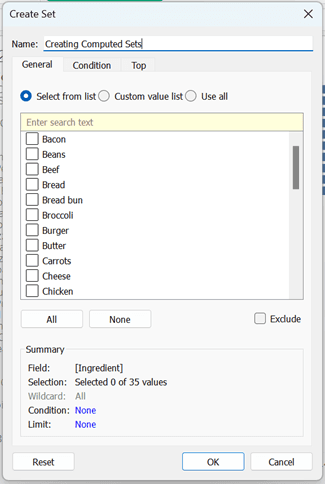
To create a general computed set, select the items from the list and press ok.
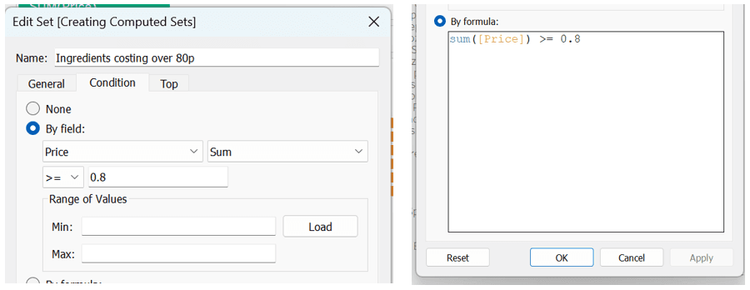
To create a condition computed set, select the condition card and either create a set by field or by formula. For example if we wanted to create a set that included ingredients that cost over 80p:
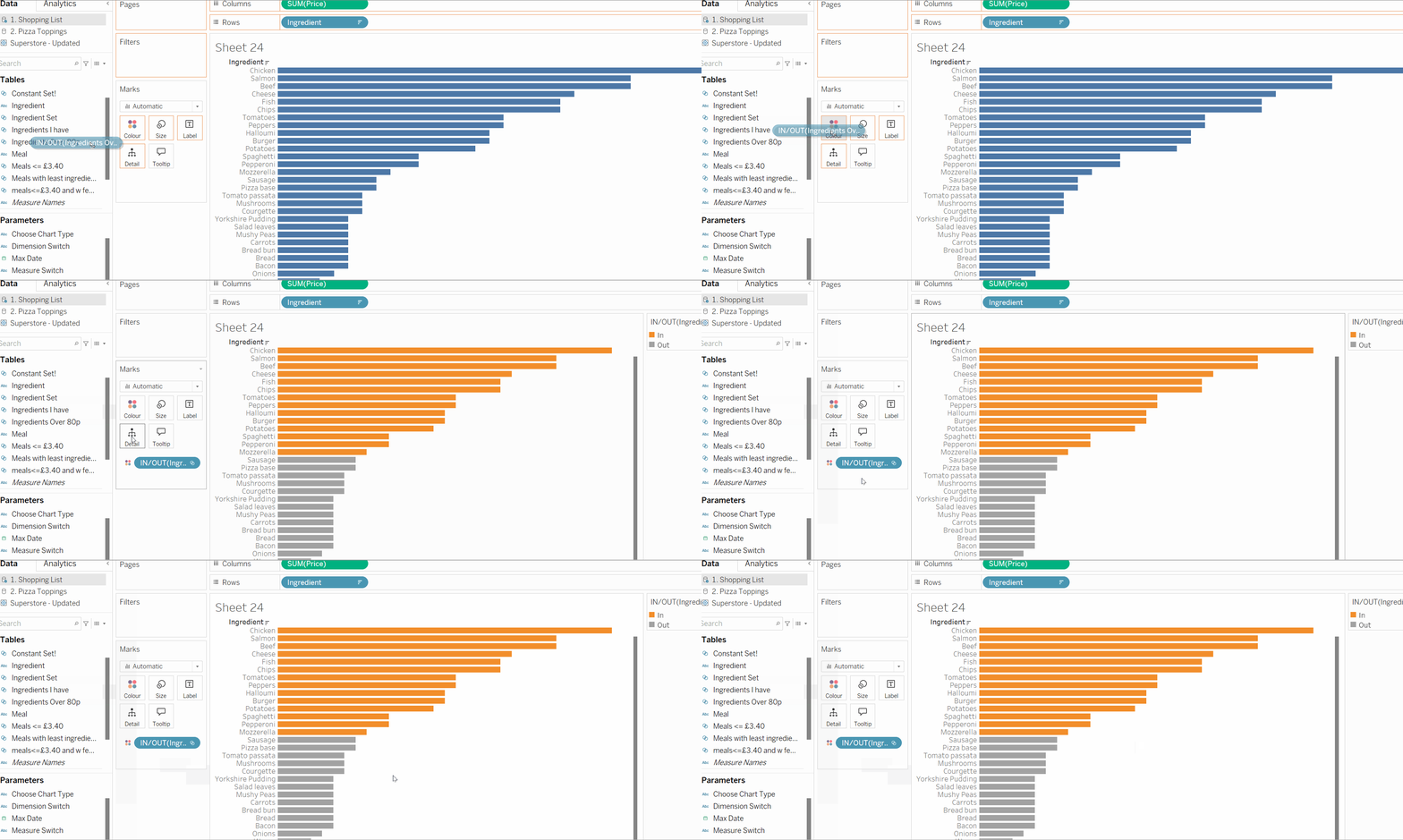
We can then add this set to color to highlight our set in the data:
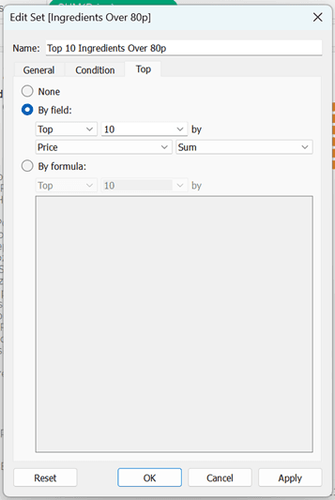
To create top computed sets select the top card and either create a set by field or by formula. For example if we wanted to create a set that included the top 10 ingredients that cost over 80p:
3. Combined Sets
These are sets that are made up of two different sets.
To create a combined set, click the drop down menu on a set and select create combined set. This pane will appear:
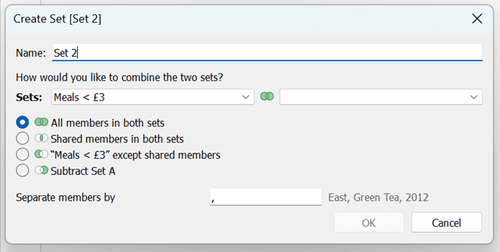
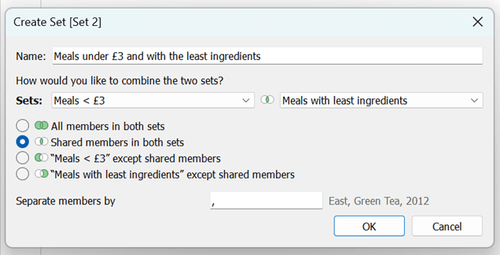
In this pane you can select the two sets you want to combine and how you want the set to be defined.
In this example I want to create a combined set using meals under £3 and meals with the least ingredients:
And that’s set for now!